When Microsoft launched Office 365 Groups and tried to position them as the one and only type of group you will ever need within Microsoft 365, many experts pushed against the messaging and warned about the proliferation and governance issues that would inevitably arise. Lo and behold, they were right. It took Microsoft few years to acknowledge the issue, few more to start addressing them via features such as the Ownerless group policy, and until now, to make said policy manageable via the Graph API.
I will not be covering how the Ownerless group policy works in detail here, as there is nothing new with the feature itself. Do consult the official documentation or this article by Tony if you need additional information. Still, I do want to mention its rather chaotic release history, which prompted me to release a custom implementation for a Get-OwnerlessGroupPolicy and a Set-OwnerlessGroupPolicy cmdlets, as part of this article. Well, there is no need for such custom solutions anymore, as we can now leverage the Graph API in all its glory. Let’s take a look.
The bad news first – currently, only delegate permissions are supported. Namely, you will need the Group.ReadWrite.All scope and either the Group administrator or Exchange administrator roles. One would think that adding Graph API support would present a good opportunity to provide a fully automated solution, but alas…
If you only want to view the current policy, the Group.Read.All (delegate) permissions would do. Using the corresponding GET method against the /policies/ownerlessGroupPolicy endpoint is all you need to do (note that the endpoint is currently only available under /beta):
GET https://graph.microsoft.com/beta/policies/ownerlessGroupPolicy
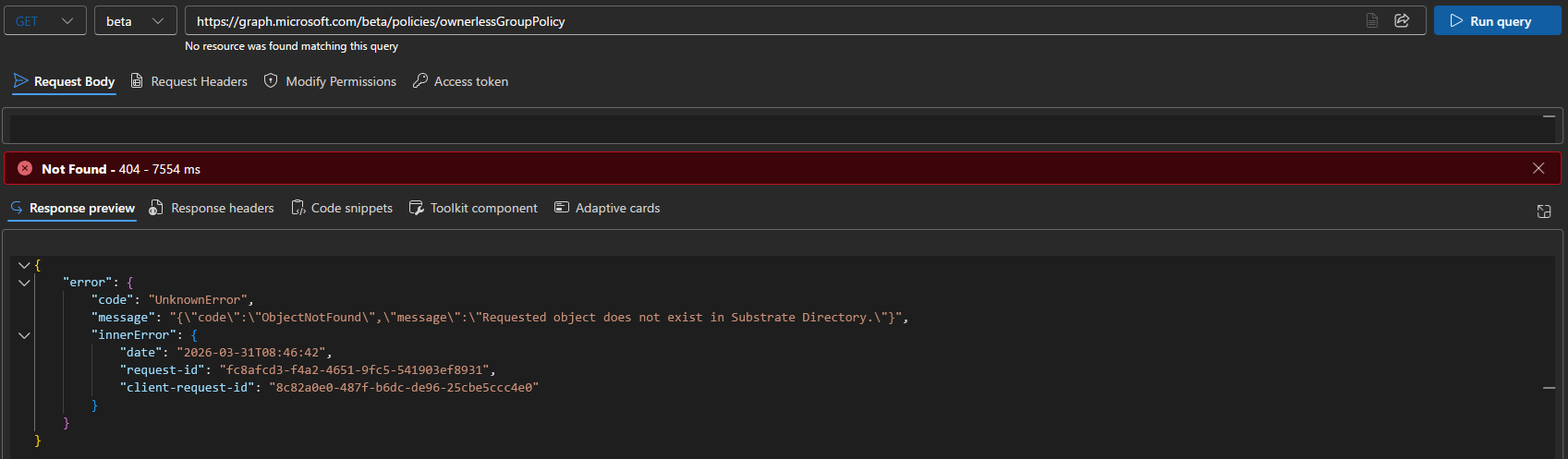
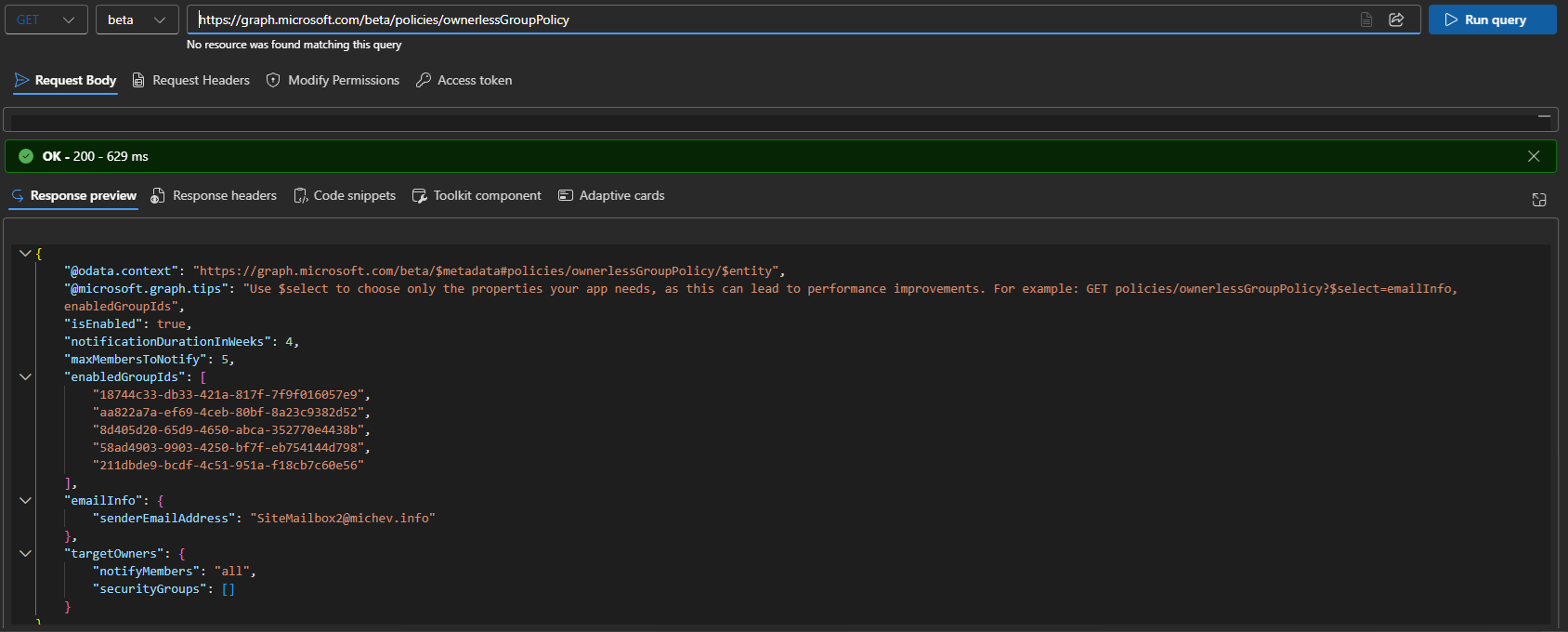 The caveat here is that no policy exists by default, so the above query might return an error when used against a fresh tenant:
 To instantiate an Ownerless group policy object within your tenant, or update the existing one, use the Upsert method, or in other words a PATCH request against the /policies/ownerlessGroupPolicy endpoint. The request body must contain a JSON payload with the policy settings, as follows:
- isEnabled – set the state of the policy. Required*. Do note that specifying a $false value will result in clearing the values of all other policy parameters.
- SenderEmailAddress – the address from which to send the email notifications. Required when enabling the policy. Must be a valid recipient in the tenant. Provided as part of emailDetails resource blob.
- Subject – optional parameter to specify the notification email subject. Provided as part of emailDetails resource blob.
- EmailBody – optional parameter to specify the notification email body. You can pass a here string for multi-line body, or use `n as needed. Provided as part of emailDetails resource blob.
- notificationDurationInWeeks – the number of weeks to send notifications for. Allowed values range from 1 to 7 weeks. Required.
- maxMembersToNotify – the maximum number of members to send notifications to. Allowed values range from 1 to 90. Required when enabling the policy. Do note that value will be set to 0 if you skip this property!
- EnabledGroupIds – the list of groups to enable the policy for. Specify a null value/empty array to reset the policy to cover All groups. Specify individual groups by their GUID. Required.
- SecurityGroups – Required parameter used to restrict the set of users that can be assigned as owners. Multiple groups can be specified, via their GUID. Groups must be security-enabled one. Specify a null value/empty array to reset the policy to cover All groups members (must be used in conjunction with notifyMembers=All). Provided as part of targetOwners resource blob.
- notifyMembers – specify whether members of the group(s) specified via the SecurityGroups parameter should be allowed to (allowSelected), or excluded from owner assignments (blockSelected). Alternatively, specify a value of All to consider each member of the current group as eligible for becoming an owner. Must be used together with the SecurityGroups parameter. Provided as part of targetOwners resource blob.
- policyWebUrl – optional parameter to specify the policy guidelines URL.
When updating an existing policy, you can specify only the parameters whose values you want to change. As an example, lets update the Ownerless group policy object for my own tenant (as shown in the first screenshot above) with a new value for the SenderEmailAddress parameter. As said parameter is part of the emailDetails resource, we must use the following syntax to add it:
PATCH https://graph.microsoft.com/beta/policies/ownerlessGroupPolicy

{
    "isEnabled": true,
    "emailInfo": {
        "senderEmailAddress": "user@domain.com",
    },
    "notificationDurationInWeeks": 4
}
Do make sure to also specify the isEnabled parameter with a value of True, otherwise the policy will be null-ed! Similarly, a value for notificationDurationInWeeks was provided above, as otherwise it would’ve been set to 0.
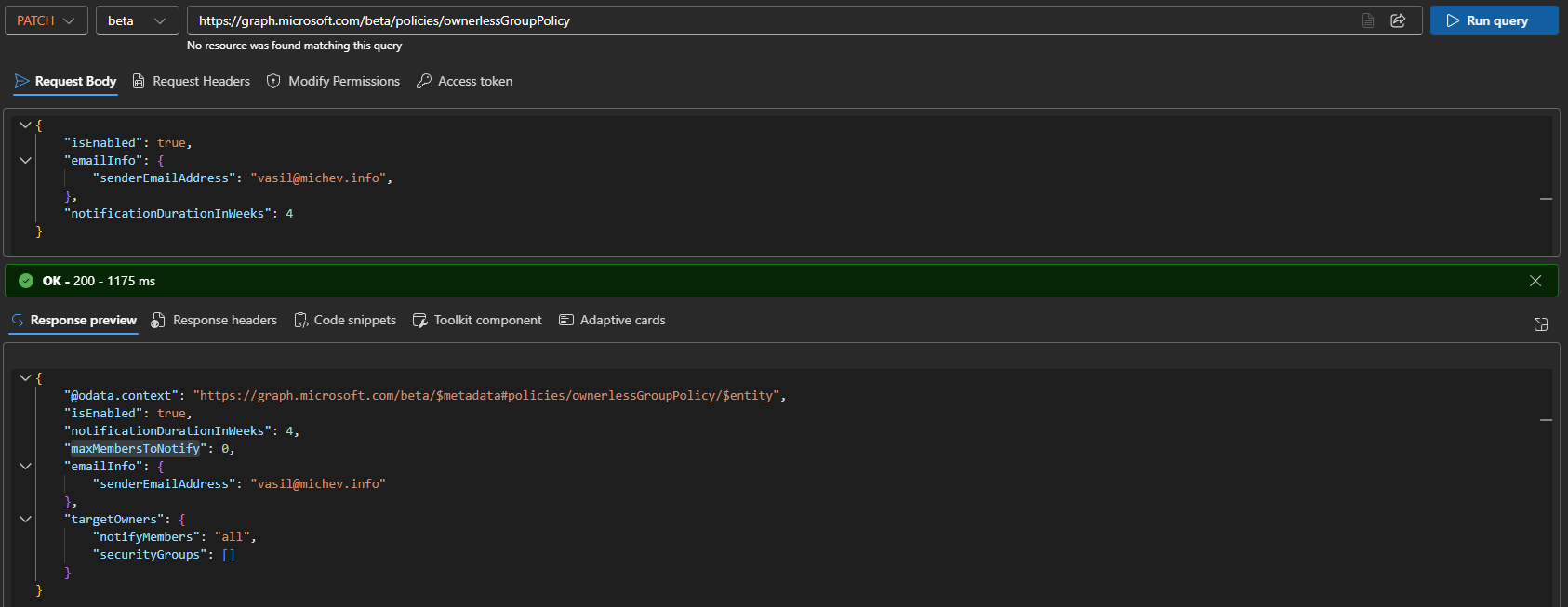 Some additional notes are due here. Compared to the “classic” implementation of the Ownerless group policy functionality, a shared mailbox cannot be specified as the sender anymore. The same applies to any other non-user mailbox type. The perks of switching to the Graph, I suppose.
We already mentioned the importance of specifying isEnabled when making changes to the policy. The lack of consistency in handling the remaining (required) parameters also stands out, although we can argue whether this is bad implementation or incorrect documentation, or both for that matter. What’s certain is that Microsoft has put the minimal possible effort into releasing this, as evident from the multiple oddities and inconsistencies. As another example:
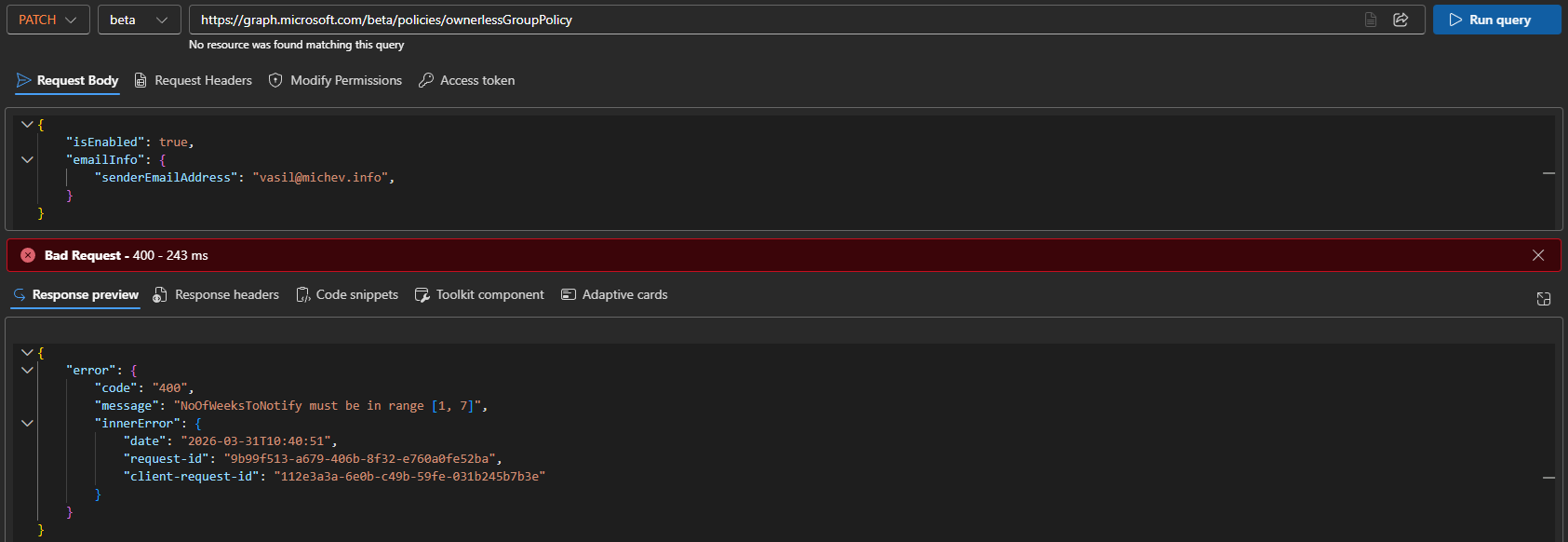
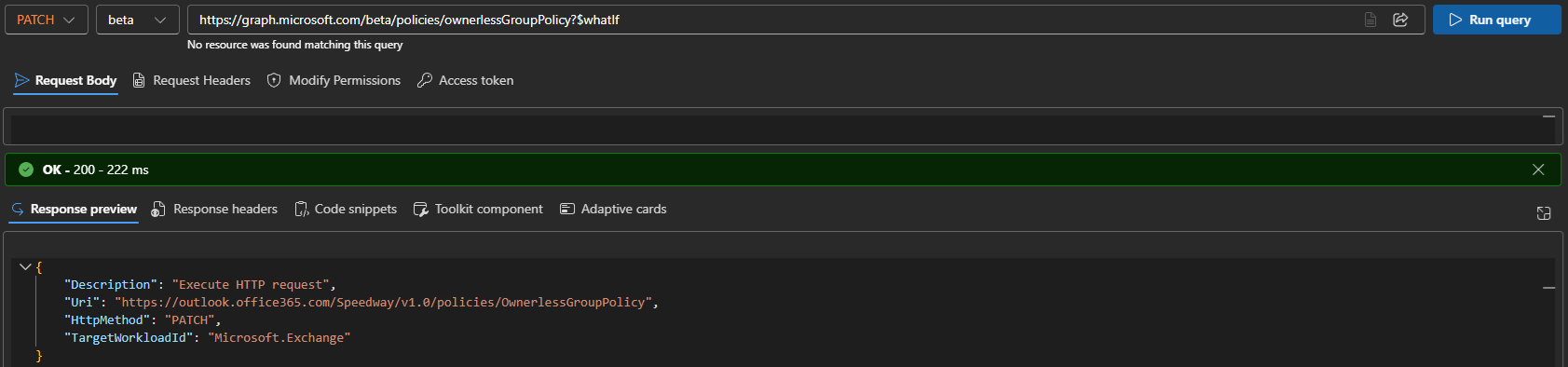
In the above screenshot, the error message refers to a non-existent NoOfWeeksToNotify parameter. This is a indeed what the “old” Admin API implementation used, with the parameter now renamed as notificationDurationInWeeks. Similar behavior can be observed with other parameter “pairs”, i.e. MaxMembersToNotify/MaxNoOfMembersToNotify. It is no secret that many Graph API implementations are a simple proxy service, and examples such as the above simply allow us to peek behind the curtain. So does the $whatIf parameter for that matter:
So there we have it, another example of Microsoft doing the bare minimum to bring Graph API support to existing features. Flaky implementation, zero improvements, completely ignoring automation scenarios… not impressed.
1 thought on “Ownerless Group Policy finally supported by the Graph API”