I was today’s years old when I found out that we have an UI to review Outlook Actionable Messages providers added within a tenant, or that such providers can be scoped to the organization, or even specific mailboxes. For the vast majority of tenants, this will likely not be of any interest, as they are simply “consuming” actionable messages from one of the existing “approved by Microsoft” providers, for which we cannot exert any control. But since I’ve mentioned actionable messages as something a user of our own products can benefit from, as an ISV or inhouse developer, this might be of interest to you. In any case, I will just file this under the “blog so I don’t forget about it” category 🙂
Actionable messages have been around for a decade now, and I first covered them back in 2016 with a post over at the ENow blog. Adoption-wise, they haven’t been exaclty a success story, with usage mainly coming from a handful of first-party apps, and the occasional vendor. The lack of proper marketing, and to an extent, guidance, is the main facror here. In addition, the switch to the adaptive card model, deprecation of connectors for Teams/Microsoft 365 Groups, lack of support for group and shared mailboxes have also made an impact.
Admin control and overal visibility into the feature probly also played a role. While each and every provided must go over an approval process and the feature is generally safe to use, the lack of granular per-user (per-mailbox) controls means that you can not trial it for a handful of users, or block its use for “high value” ones. To date, you can still only block the feature on the tenant level, via the Set-OrganizationConfig cmdlet and the -ConnectorsActionableMessagesEnabled paramter. In terms of visibility, the Actionable Email Developer Dashboard allows you to review the set of providers… if you know it existst!
The recent MC1297983 message center post is what in fact alerted me to the existence of the UI/portal/Dashboard. As usual, the message itself is a bit vague on the details, but knowing what to search for, it wasn’t hard to find the corresponding entry point, namely https://outlook.office.com/connectors/oam/publish. While this is the dev-centric view, a note on top contains the link to the admin expereince, https://outlook.office.com/connectors/oam/admin.
As this experience is hosted under the outlook.office.com namespace, you need to login with a user with the Exchange admin role assigned. Once you access the dashboard, unless you are developing your own provider, you will only find entries under the ApprovedByMicrosoft Status, as shown on the screenshot below. Make sure to press the Search button once you change the Status selection, as the list of entries is not refreshed otherwise.
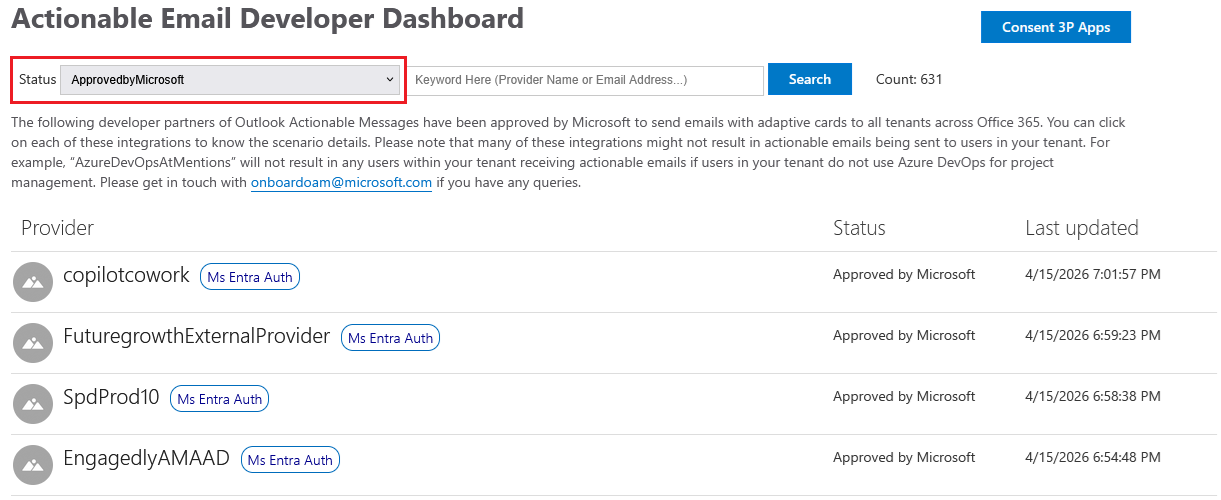 The list of available (approved by Microsoft) providers returns a total of 631 entries currently, sorted in descending order by their last updated date. As you can see from the sample above, their names aren’t exactly descriptive, so you might have hard time finding the one you are looking for. Luckily, you are able to search by the email address that is used to send the message or the provider ID, should you know it.
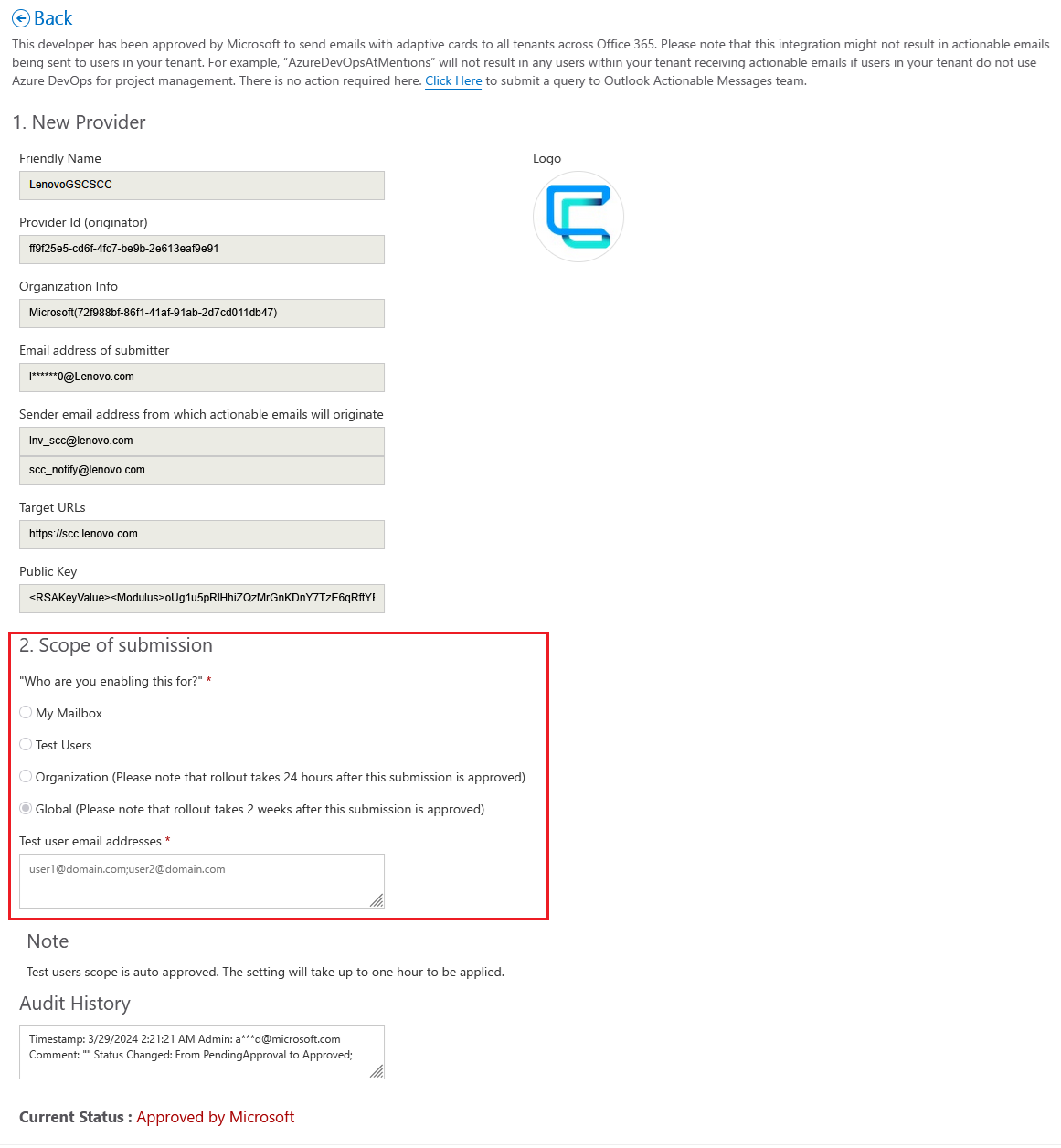
Clicking an entry will take you to its details page where you can obtain additional information about it. Here’s also where you will find the scoping controls, as shown on the screenshot below. The bad news is that said controls will be grayed out for any of the pre-approved providers, and can in fact only be configured for providers your own organization publishes. So in effect, the details provided here only serve informational purpose.
For providers that expose additional API actions as part of their actionable messages, additional consent might be required. This is where the Consent 3P Apps button (as shown on the first screenshot above) comes into play. Hitting it will list all third-party providers your organization has consented to, or the ones that still require consent, under the Consented apps and Unconsented apps views, respectively. As I dom’t have any such providers added in my own tenant, I will refer you to the official documentaton for more information and screenshots.
One last thing worth mentioning is the pending switch to Entra ID authentication. With the end date for the latter being May 15, 2026, it is suprising to see that the vast majority of providers have not yet migrated to the new model, as indicated by the Migration required label next to their name. This of course included many first-party ones, which is yet another example of Microsoft not following its own best practices.
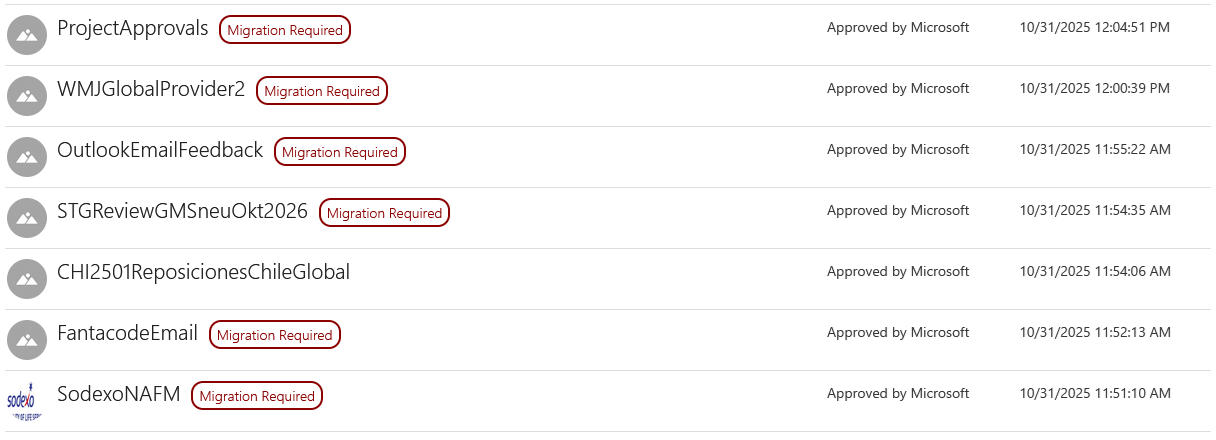 I haven’t bothered to count the set of providers that have (or have not) migrated to the new model, as the export capability as mentioned in MC1297983 has not yet been enabled within my tenant. Needless to say both Microsoft and vendors have been slacking, which at the end of the day will impact the users and might negatively reflect on the not-so-well-adopted actionable messages feature.