In case you missed it, the Microsoft 365 Admin Center now features an updated Setup experience, organized in the following set of (sub)pages:
- Guided setup (the new landing page/dashboard)
- Onboarding health
- Training resources
- Migration resources
- Deployment assistance
The new experience is intended to “bring together Setup and Advanced Deployment Guides into a single workspace”. As it is a work in progress, I will try not to judge it too harshly, but few annoyances stand out, as do some glaring omissions. All the wizard-like guides are there, but for some reason quite few of them have been renamed, and all of them will open in a new tab. The current documentation is of course oblivious of all the changes, further contributing to the annoyance factor.
The Guided setup page/dashboard is your new entry point for most of the experiences. On top, you will see four cards, giving you the “at a glance” status of your tenant. Or so you would think, though in reality you get the set of FastTrack-eligible SKUs assignments, which is quite misleading for something named “Licenses assigned”, and a percentage representation of Secure and Compliance scores for your tenant, without any breakdowns.
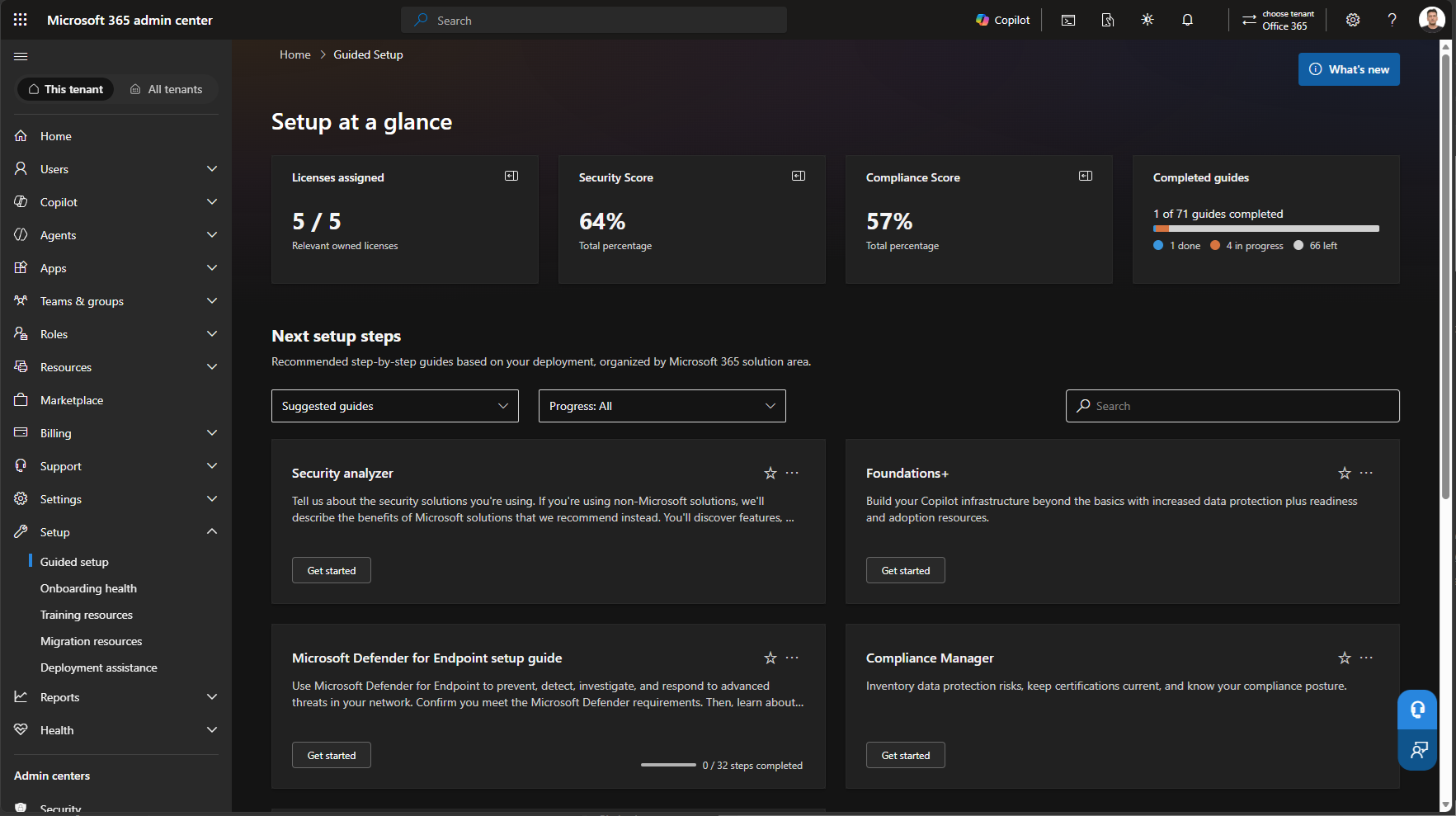
The “Next setup steps” section lists the familiar wizard-like guides that can walk you trough configuring various features and functionalities. Organized as a “card” view, it can get a bit overwhelming, given the 70+ entries currently available. Luckily it does support filter and search controls to narrow down the list of available guides, though administrators should be aware of the aforementioned renaming of some of the guides.
On the positive side, the card view does allow you to easily “favorite” selected guides, or “Add it to My guides” as the tooltip suggests. Just be aware that there is no reference to “My guides” anywhere on the page, and instead you can access them by selecting “Favorites” from the filter controls. For the ones marked as “Suggested guides“, additional actions are exposed via the “…” menu, allowing you to select “Hide until the next update” or “Don’t remind me again” for each suggestion. Selecting those actions only affects whether the guide is shown under the Suggested guides category, you will still be able to view them all under “All guides“.
The last section on the landing page covers “Deployment support”, which according to its description allows you to “Explore training resources, migration assistance, organizational messaging, deployment assistance, and FastTrack support from one location“. With only a single item available for my tenant, there’s not much to talk about here.
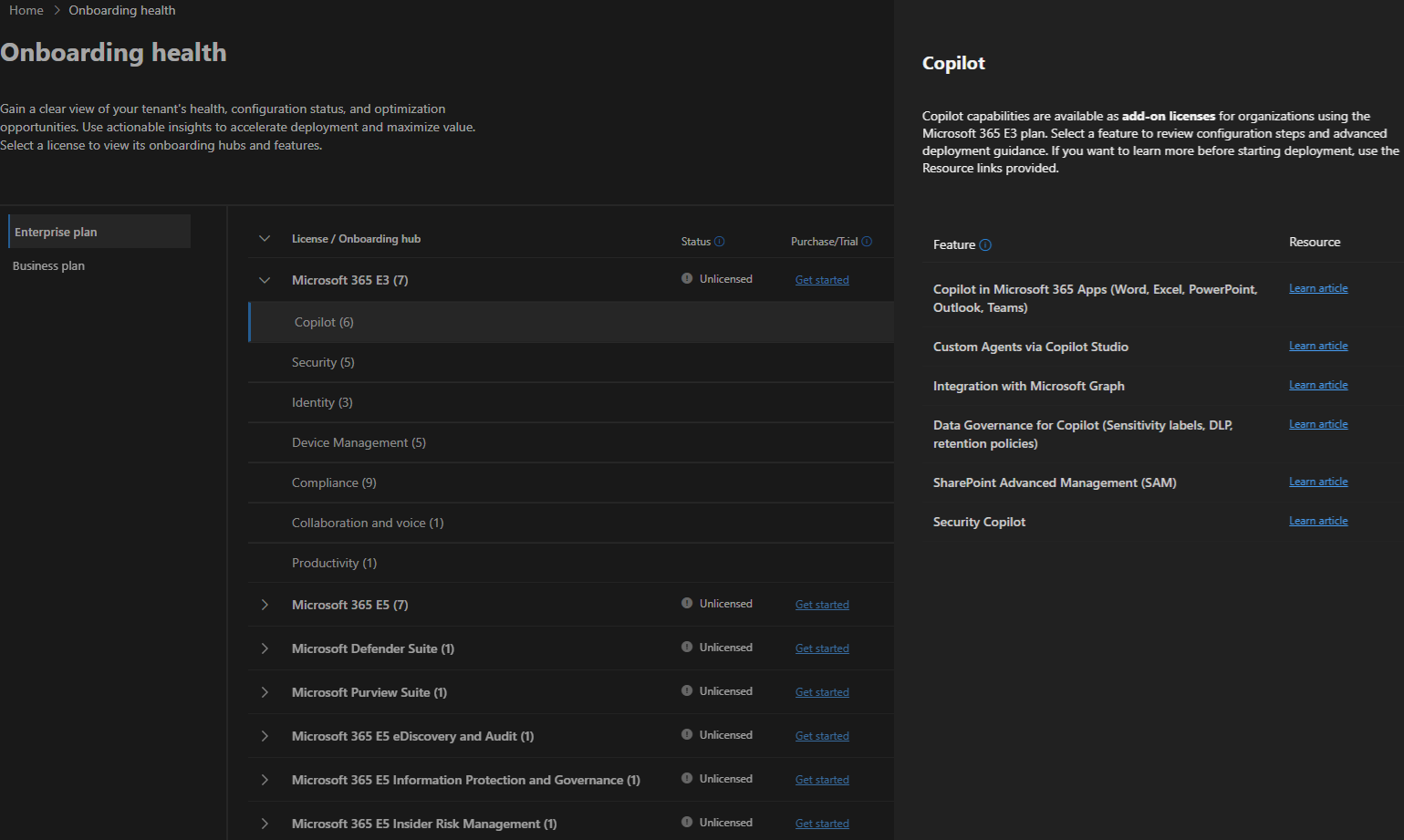
The Onboarding health page is a bit of puzzler. The information presented on it does not address any of the items listed in its description, and all the page does it to list the same set of guides grouped by SKU and category. All while claiming that my tenant is Unlicensed for any of the SKUs listed on the page. Go figure.
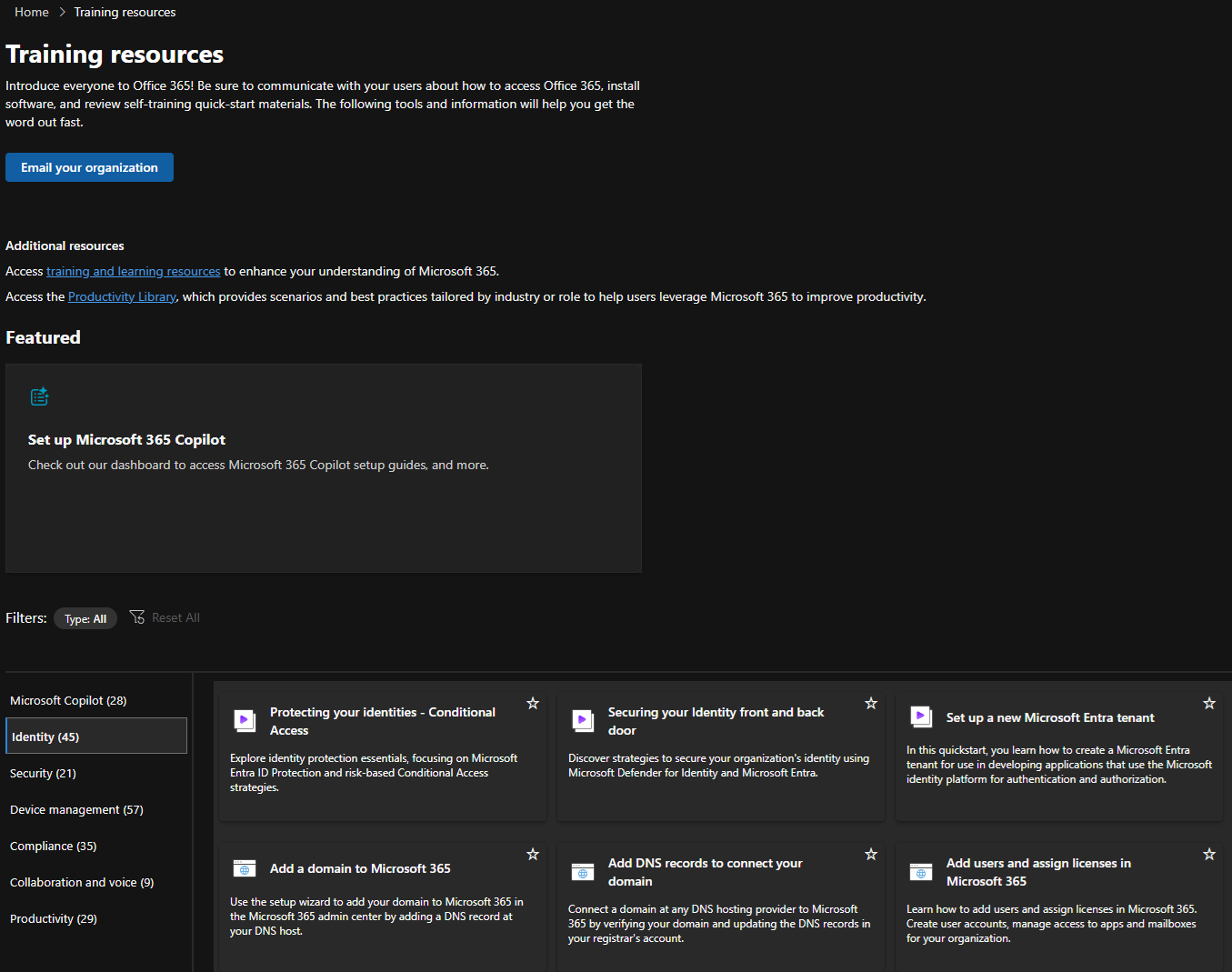
Next, we have Training resources, which exposes a bunch of (links to) training materials such as videos, blog articles and documentation, including some “external” to Microsoft ones. And a broken link to the Productivity Library. You can also find the Email your organization wizard here, allowing you to download email templates you can later resend to your users. I’m afraid most of the resources presented on the page leave a lot to be desired in terms of depth or relevancy and slapping a new coat of paint on it won’t help customers.
Then we have the Migration resource page. This is where you will access the tools, guides and FastTrack assistance going forward. In particular, the set of email, files and messaging import and migration tools, as listed below:
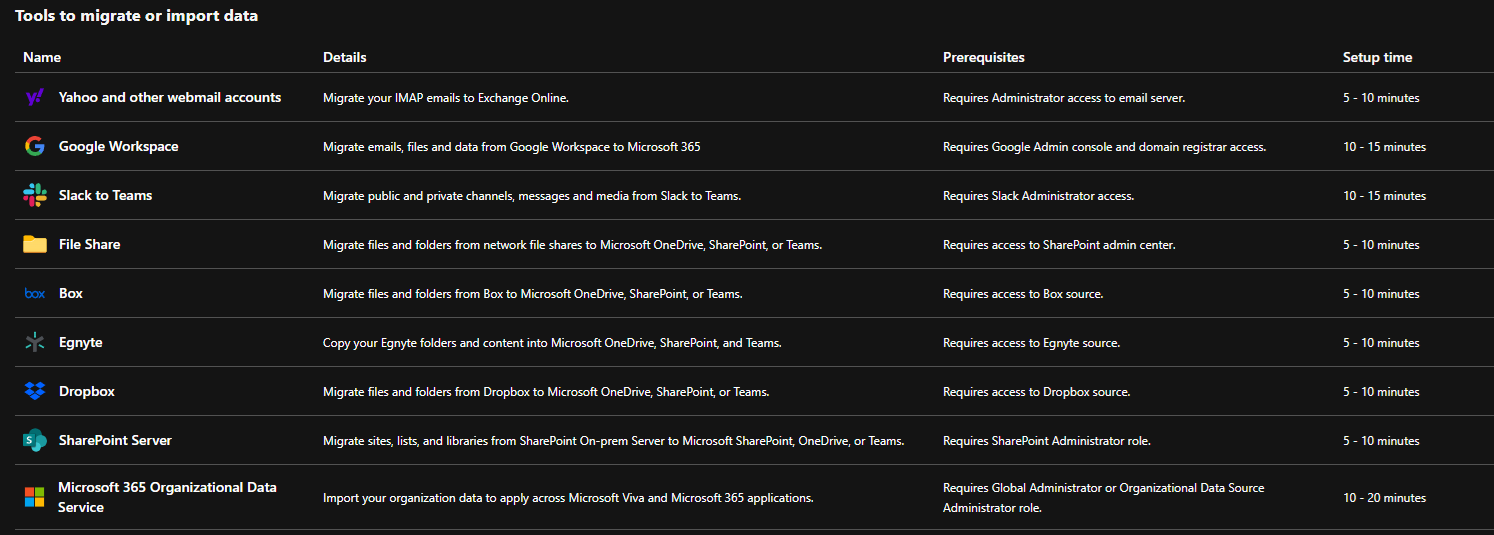 This is also where you will find the Microsoft 365 Organizational Data Service, used to enrich user’s profile data within Office apps and web services, the Copilot Dashboard and the Viva Suite. As none of the existing entry points for said service are yet updated with its new location, including the Search box entry, you might want to bookmark the direct link.
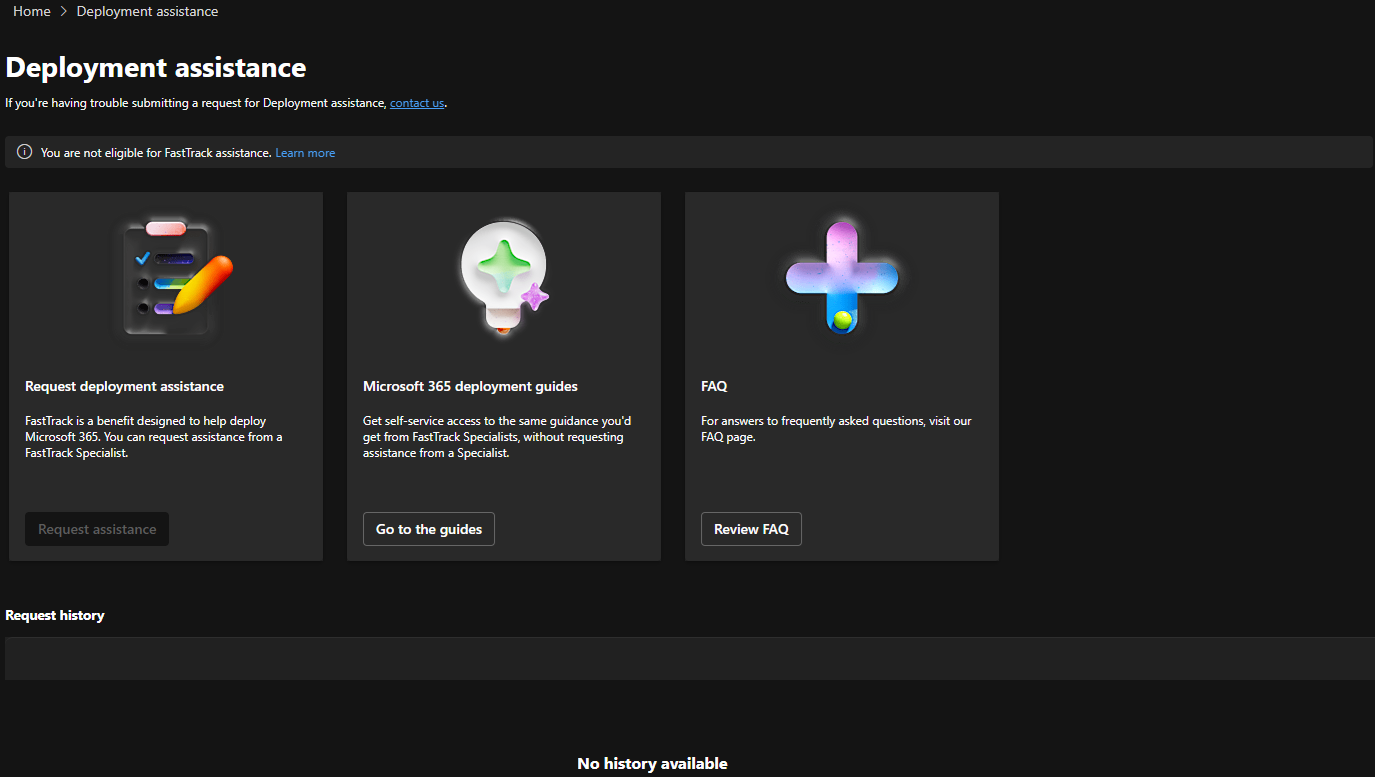
Lastly, we have the Deployment assistance page, where you can access your FastTrack benefits. As such are not available for my tenant, I’ve nothing interesting to shown on this page.
And this is in a nutshell what the new Setup experience looks like in the Microsoft 365 Admin Center. Currently that is, as we are likely to see some more improvements over the coming months. I do hope Microsoft focuses not only the look and feel of the relevant pages, but also on vetting the existing resources, tools and links to bring them up to speed with the current state of the service, as many haven’t been touched in years. Here’s hoping!