Microsoft introduced the functionality to assign sponsors to Entra ID Guest users back in 2023. On the backend this is made possible via the sponsors relationship/navigational property for the user resource and its associated methods. By leveraging said property, one can build a report that lists the sponsor(s) for each guest user, such as this one. The downside of this is the lack of support for proper filtering, which translates into the need to fetch all objects and check their sponsors property. Not ideal. Things get even more complicated if you want to report the set of objects for which any given user is a sponsor.
Well, now Microsoft is addressing this, by introducing the sponsorOf relationship for user objects and its associated LIST sponsorOf method. Another slew of recent improvements gave us the possibility to assign a sponsor to the set of AI-related directory objects: agent blueprints, agent blueprint principals, agent identities and agent users. In other words the sponsor concept is no longer limited to guest users, which makes the addition of sponsorOf even more impactful.
The sponsorOf collection is not included in the default output for the user object, so you’ll have to request it specifically, via the $expand operator. Alternatively, use the /users/{userId}/sponsorOf path. In addition, at the time of writing this article the property is only exposed under the /beta Graph API branch. Here are some examples:
#List all objects the current user is a member of
GET https://graph.microsoft.com/beta/me/sponsorOf
GET https://graph.microsoft.com/beta/me?$expand=sponsorOf

#List all objects a given user is a member of
GET https://graph.microsoft.com/beta/users/user@domain.com/sponsorOf
GET https://graph.microsoft.com/beta/users/user@domain.com?$expand=sponsorOf
 Apart from only being available in /beta, another limitation you need to be aware of is that the property is only exposed via delegate permissions currently. Or at least so says the official documentation. In fact, you can get a response to a /sponsorOf query via application permissions just fine, at least this is what my tests reveal. But as I cannot speak on behalf of Microsoft on this, assume that there are some valid reasons for this requirement.
Yet another thing to keep in mind is the permission itself. While User.Read.All is sufficient to cover the details for any user objects, it does not account for agent-related scenarios. While the Graph API should trim responses in such scenarios, for the /sponsorOf query you might end up with a corrupted JSON output instead. Here’s one example I received in my tests:
{"error":{"code":"InternalServerError","message":"The property 'signInAudienceRestrictions[Nullable=False]' of type 'microsoft.graph.signInAudienceRestrictionsBase' h
as a null value, which is not allowed.","innerError":{"date":"2026-07-29T08:27:29","request-id":"7ae3a73a-a205-4902-9c8d-0c113d5798dc","client-request-id":"7ae3a73a-a205-4902-9c8d-0c113d5798dc"}}
While the error message above does not seem to be permission-related on the surface, it goes away when the request is rerun with adjusted (broader) permissions. Therefore, to ensure proper experience, you will need to either leverage a combination of the User/AgentIdentity/AgentIdentityBlueprint.Read.All permissions, or just go with the broad Directory.Read.All one.
Of course things get a bit more interesting when we want to gather sponsorOf data across all our users. This is where use of the $filter and $select operators can greatly improve the experience, as it can minimize the amount of data returned. That said, the most important scenario, namely being able to filter out (or only retrieve) users without any sponsored objects, can not be addressed server-side. In other words, a $filter=sponsorOf/$count eq 0 is not currently supported.
You can however still filter the sponsorOf output, as well as limit the set of properties returned to further reduce the output size. Note that filters involving sponsorOf only seem to work as part of advanced queries currently, so make sure to add the consistencyLevel=eventual header and the $count=true operator. Below are some examples that might be of use:
#Fetch all users along with their sponsored objects
GET https://graph.microsoft.com/beta/users?$expand=sponsorOf

#Fetch all non-user objects the current user is a sponsor of (advanced query!)
GET https://graph.microsoft.com/beta/me/sponsorOf?$filter=userType ne 'Guest'&$count=true

#Fetch just the id of all users along with the id of their sponsored objects
GET https://graph.microsoft.com/beta/users?$expand=sponsorOf($select=id)&$count=true&$select=id
Unfortunately, as one must use the $expand operator in order to include sponsored objects in the output of any LIST query (bulk retrieving users), we are subject of the limitations of said operator. Namely, we can’t combine it with (advanced) filter queries and output is limited to 20 objects or so, so you might be getting an incomplete set of sponsored objects. This in turn means that if we want a proper tenant-wide inventory we have to do it the per-user way. But if you only want to get a hint as to whether the user object is currently assigned as sponsor to anything, the last example above should do just fine.
GET https://graph.microsoft.com/beta/users?$expand=sponsorOf($select=id)&$select=id
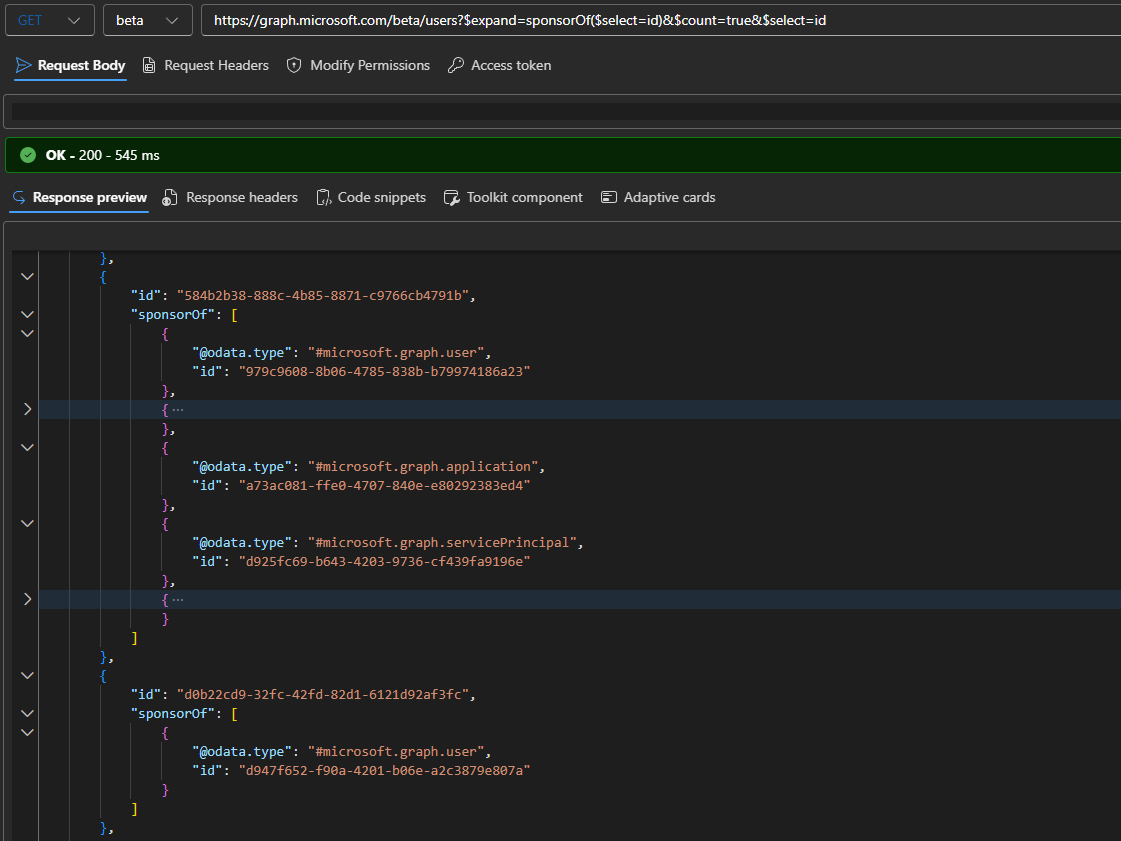
One last thing before we close the article. You might recall that some Graph relationships are transitive in nature, that is they can be “nested”. As sponsor relationships also support nesting, by assigning a group as the sponsor of a given object, we have to cater to such scenarios as well. Microsoft has designed the sponsorOf property to always return both direct and indirect sponsored objects, so effectively we’re always getting the transitive set. Or at least that is what the documentation says.
In my tests, no group-assigned entries were returned in the output of sponsorOf. But, a quick check revealed the existence of (undocumented) sponsorOf relationship for group objects, available under the /groups/{groupid}/sponsorOf endpoint:
GET https://graph.microsoft.com/beta/groups/37e85861-5e4e-4670-9dfd-07e22a678779/sponsorOf
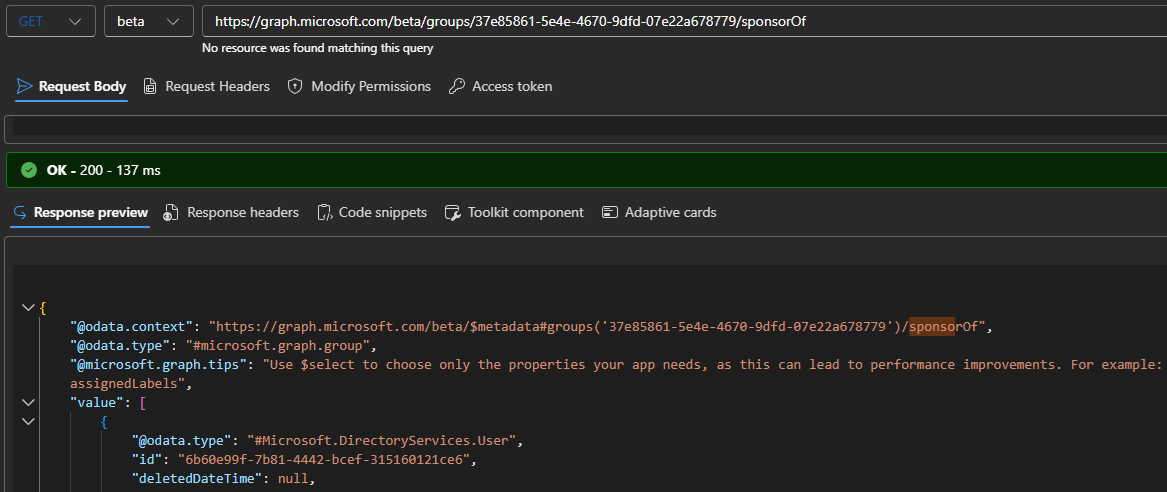
On the other hand, no support seems to currently exist for using said property via the $expand operator in group queries. I suppose this is part of the reason why sponsorOf is still only available in beta, and things might start working as advertised once the necessary code changes roll out across the service.
And that in a nutshell is how to work with the recently introduced sponsorOf property in the Graph API. Small, meaningful addition to the set of properties/relationships exposed on the user resource, which makes few scenarios easier to implement. Things can hopefully be further improved by means of better support for filtering, but such statement can be extended to the Graph as a whole… it is what it is. As a final note, as this is all still part of a beta/preview release, things might change by the time you read this article.